
Independent sellers now generate more than 60% of sales in Amazon’s store, and more than 75,000 of them passed $1 million in sales in 2025, according to Amazon’s own Small Business Empowerment Report. That is a lot of prices, rankings, and reviews moving every day, and most teams that track them do it with an Amazon scraping tool rather than by hand.
The hard part is choosing one. Amazon scraping tools bill in different units (records, results, credits, pages, export rows), run in different places (cloud, desktop, browser), and cover different Amazon data. A $1.50 price and a $19 price are often not measuring the same thing.
We compared seven tools on 12 dimensions: free tier, entry price on monthly billing, billing unit, Amazon-specific products, data types, marketplaces, setup route, scheduling, anti-blocking, API and agent access, export and delivery, and real user ratings. Every price was checked on the vendor’s official page on October 10, 2026. If you only need step-by-step instructions, start with how to scrape Amazon product data instead.
Quick Picks: The Best Amazon Scraping Tool for Each Job
- Octoparse: best for teams that want scheduled Amazon data without writing code. Its keyword template covers 22 Amazon marketplaces, and Cloud runs include IP rotation and automatic CAPTCHA solving on paid plans.
- Bright Data: best for high-volume API delivery. It bills per returned record ($1.50 per 1,000 on pay-as-you-go) and can push results straight to S3, Snowflake, or SFTP.
- Apify: best for developers who want a ready-made Amazon Actor. The most popular Amazon Product Scraper Actor starts at $3.00 per 1,000 results and reports a 90.6% run success rate.
- Scrape.do: best budget API if you can maintain code. Hobby costs $29 per month for 250,000 credits, and its Amazon endpoint returns structured JSON.
- ScrapeStorm: best low-cost visual desktop tool, as long as 10,000 exported rows per day on the $45 plan is enough.
- Data Miner: best for a quick one-page grab in Chrome. The free plan is restricted on some domains, so test your Amazon page first.
- ParseHub: skip the free plan for commercial Amazon work, because public project designs and their data may be shared with other users.
Amazon Scraping Tools Compared: Price, Free Tier, and Billing Unit
Start with the billing unit, not the headline price. Every paid price below uses monthly billing, because annual prices look cheaper than what most teams actually pay in month one.
| Tool | Free tier | Paid from (monthly) | You pay per |
|---|---|---|---|
| Octoparse | 10 tasks, local runs | $83/mo (Standard) | Plan; some templates per result |
| Bright Data | 5,000 records/mo | $1.50 per 1,000 records | Returned record |
| Apify | $5 usage/mo | $19/mo + Actor fee | Usage and result |
| Scrape.do | 1,000 credits/mo | $29/mo (250K credits) | API credit |
| ScrapeStorm | 100 rows/day | $45/mo (10K rows/day) | Exported row |
| Data Miner | 500 pages/mo | $19.99/mo (500 pages) | Scraped page |
| ParseHub | 200 pages/run | $189/mo (10K pages/run) | Page per run |
Sources: Octoparse pricing, Bright Data Amazon Scraper API, Apify pricing, Scrape.do pricing, ScrapeStorm pricing, Data Miner pricing, ParseHub pricing.
Amazon-ready options from each vendor
- Octoparse: an Amazon Scraper template for keyword search (usage cost listed as Free on Standard) and a reviews template at $0.6 per 1,000 lines. Annual billing brings Standard to $69 per month.
- Bright Data: a dedicated Amazon Scraper API for products, reviews, sellers, and search. Scale costs $499 per month for 384,000 records.
- Apify: the Amazon Product Scraper Actor, from $3.00 per 1,000 results.
- Scrape.do: an Amazon Scraper API with structured JSON for product pages and seller offers.
- ScrapeStorm, Data Miner, ParseHub: no Amazon-specific product. You build a visual task, a recipe, or a project yourself.
What 10,000 Amazon records actually cost
Here is list-price arithmetic for one common job, 10,000 Amazon product or review records in a month. It is not a tested invoice, and free allowances are ignored so the units stay comparable.
- Bright Data: 10 × $1.50 = $15 on pay-as-you-go, billed per record returned.
- Apify: from $30 of usage at the Actor’s $3.00 per 1,000 results, which the $19 Starter credit only partly covers.
- Octoparse: the keyword template lists no per-result fee but needs a Standard plan, so $83 for the month on monthly billing. Reviews add $0.6 per 1,000 lines, or $6 for 10,000 rows.
- Scrape.do: the $29 Hobby plan includes 250,000 credits, but the pricing page does not state how many credits a JavaScript-rendered or residential-proxy request consumes. Test your exact request first.
- ScrapeStorm, Data Miner, ParseHub: these bill in export rows or pages, not records. A search page can hold dozens of products, while a product page holds one, so the same 10,000 records can fit one plan easily or blow through another.
Raw rows are not the same as usable records either. In our October 7, 2026 keyword run, Octoparse returned 21 rows that represented 18 unique ASINs, because sponsored listings repeat products. Price was filled in 20 of 21 rows. Always divide cost by deduplicated, complete records. Download the 21-row test CSV to check the counts yourself.
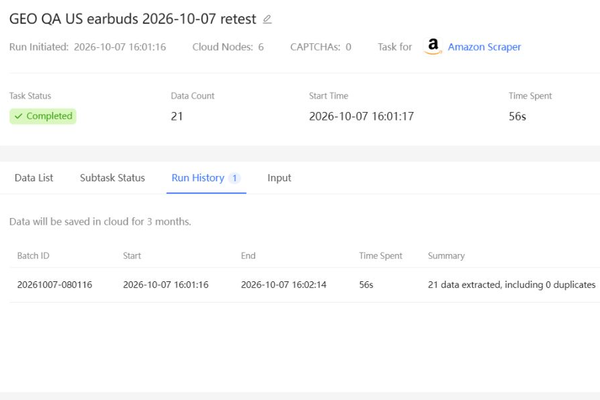
wireless earbuds, one page. Run and screenshot: October 7, 2026. Completed with 21 rows in 56 seconds. The interface counts duplicate rows; the export contains 18 unique ASINs. Inspect the original keyword-test CSV.Feature Comparison: Amazon Coverage, Automation, and Delivery
Price tells you what you pay. The next two tables show what you get for it: which Amazon data each tool reaches, and how well it runs on its own once set up.
Amazon data and setup
| Tool | Amazon data | Marketplaces | How you build it |
|---|---|---|---|
| Octoparse | Search, reviews, any page | 22 search, 20 reviews | Template or point-and-click |
| Bright Data | Products, reviews, sellers | Not listed | API or Scraper Studio |
| Apify | Products, prices, sellers | Any, by URL | Ready-made Actor |
| Scrape.do | Product and offer JSON | ZIP-code targeting | API plus code |
| ScrapeStorm | Any page | Any | Visual desktop app |
| Data Miner | Any page | Any | Chrome extension |
| ParseHub | Any page | Any | Visual desktop app |
Automation, anti-blocking, and delivery
| Tool | Scheduling | Anti-blocking | API and delivery |
|---|---|---|---|
| Octoparse | Standard and up | IP rotation, proxies, CAPTCHA | API, Excel/CSV/JSON |
| Bright Data | Via API jobs | 400M+ proxy IPs* | API, webhooks, S3 |
| Apify | Cron schedules | Apify Proxy | REST API |
| Scrape.do | Your own | JS rendering, proxies | REST API |
| ScrapeStorm | Premium ($89) | Paid IP add-on | API on Business |
| Data Miner | Paid plans | Your own browser | Browser download |
| ParseHub | Standard and up | IP rotation | API, Dropbox, S3 |
Details: Octoparse anti-blocking (residential proxies, automatic CAPTCHA solving) starts on Standard, with database export on all plans and Google Sheets, Dropbox, and S3 export on Professional. Bright Data also delivers to Google Cloud, Azure, Snowflake, and SFTP. Apify schedules use cron expressions. Scrape.do includes residential and mobile proxies on every plan and returns JSON or HTML. ScrapeStorm’s API and automatic CAPTCHA identification come with Business at $179 per month. ParseHub keeps data for 14 days (30 on Professional). Data Miner does not store crawl data on its servers.
What real users say
Ratings below were pulled on October 10, 2026. Trustpilot and store ratings measure the whole product, not Amazon scraping specifically, so read them as a service-quality signal.
- Octoparse: 4.1 on Trustpilot from 96 reviews.
- Bright Data: 4.3 on Trustpilot from 1,026 reviews, the largest review base in this group. It also reports a 99.2% average success rate on its Amazon page (vendor-reported).
- Apify: 4.8 on Trustpilot from 783 reviews. Its Amazon Product Scraper Actor is rated 4.16 out of 5 on the Apify Store, with 25,514 total users, 3,076 monthly users, and 90.6% of runs succeeding.
- Scrape.do: 4.8 on Trustpilot from a smaller base of 69 reviews.
- Data Miner: 3.9 out of 5 on the Chrome Web Store from 705 ratings and 300,000 users.
- ParseHub: no Trustpilot reviews yet, so there is little public user signal to weigh.
- ScrapeStorm: no Trustpilot profile was found.
What the vendor pages won’t tell you
- A run that succeeds can still miss fields. In our keyword sample, In_stock and Shipping_free were blank in all 21 rows. Apify’s 90.6% figure counts finished runs, not complete rows.
- Speed limits hide in plan names. ParseHub states that 200 pages take about 40 minutes on Free, 10 minutes on Standard, and under 2 minutes on Professional.
- Free tiers are tests, not workloads. ScrapeStorm caps free exports at 100 rows per day, and Data Miner’s free plan is restricted on some domains.
7 Amazon Scraping Tools Reviewed
Each review follows the same order: who it fits, how it collects Amazon data, what it costs on monthly billing, and the one thing to check before you commit.
1. Octoparse: Templates plus point-and-click for Amazon pages
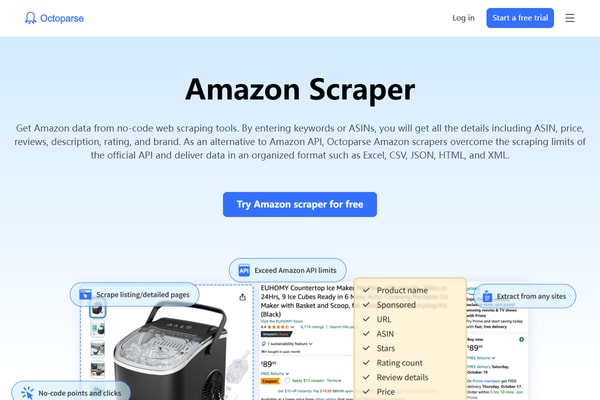
Best for: sellers, analysts, and agencies that need recurring Amazon data and don’t want to maintain code. Octoparse is a web data platform: the Amazon Scraper template collection covers keyword search and reviews, and Octoparse Desktop builds a custom task for any other page by point-and-click.
Pricing: Free covers 10 tasks on your own device. Standard is $83 per month on monthly billing and adds Cloud runs, scheduling, IP rotation, residential proxies, and automatic CAPTCHA solving. The Amazon Scraper template lists its usage cost as Free with Standard access.
Check first: template coverage. If a field you need is missing, a custom Desktop task can usually reach it, but plan an hour for setup and testing.
2. Bright Data: Record-based Amazon API at scale
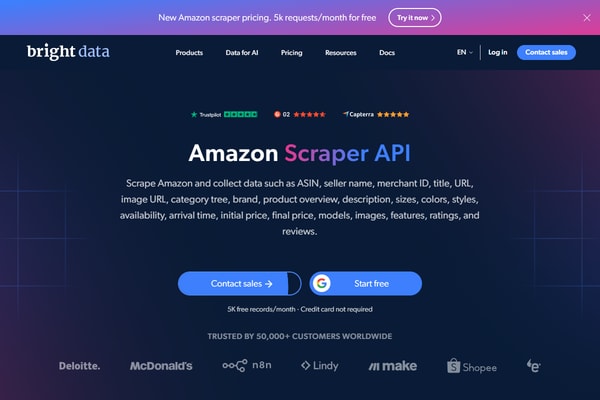
Best for: engineering teams feeding Amazon data into a warehouse. The Amazon Scraper API returns products, reviews, sellers, and search results, and delivers JSON or CSV to S3, Google Cloud, Azure, Snowflake, or SFTP.
Pricing: 5,000 free records per month, then $1.50 per 1,000 records on pay-as-you-go. Scale costs $499 per month for 384,000 records, with extra records at $1.30 per 1,000.
Check first: which endpoint you need. Products by keyword, by category, and by best-seller URL are separate collectors with different fields.
3. Apify: A marketplace of ready-made Amazon Actors
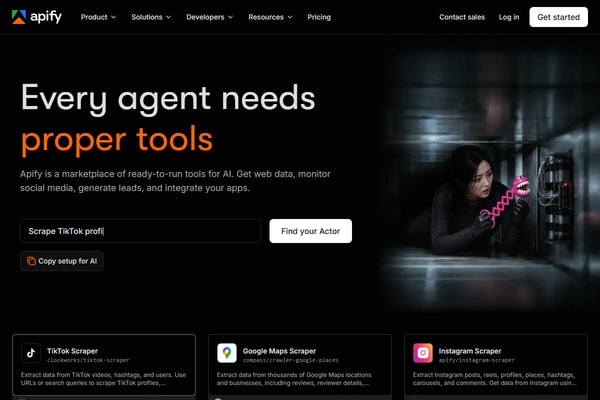
Best for: developers who want a working scraper today and an API for later. The most-used Amazon Product Scraper returns price, list price, seller, variants, and bestseller rank, and you choose the country by changing the Amazon domain.
Pricing: Free includes $5 of usage; Starter is $19 per month with $19 of usage included. The Actor charges from $3.00 per 1,000 results on top.
Check first: the Actor, not the platform. Fields, price, and reliability vary from one Actor to the next.
4. Scrape.do: Low-cost scraping API for developers
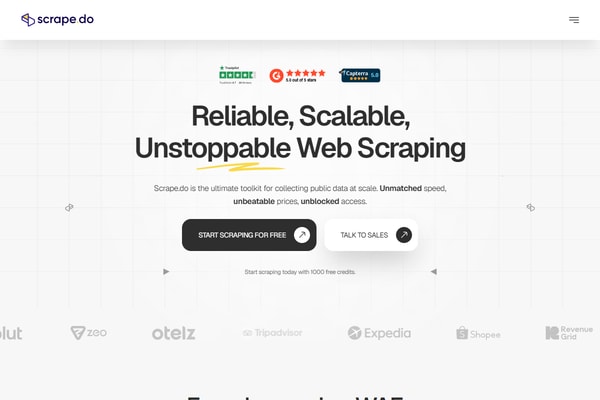
Best for: developers comfortable writing their own pipeline. Scrape.do’s Amazon guide shows both a Python and BeautifulSoup route and a dedicated endpoint that returns structured JSON for product pages and seller offers.
Pricing: 1,000 free credits per month; Hobby is $29 per month for 250,000 credits and 10 concurrent requests; Pro is $99 for 1,250,000 credits.
Check first: credits per request. JavaScript rendering and residential proxies are on every plan, but the pricing page does not list their credit cost.
5. ScrapeStorm: Budget visual desktop scraper
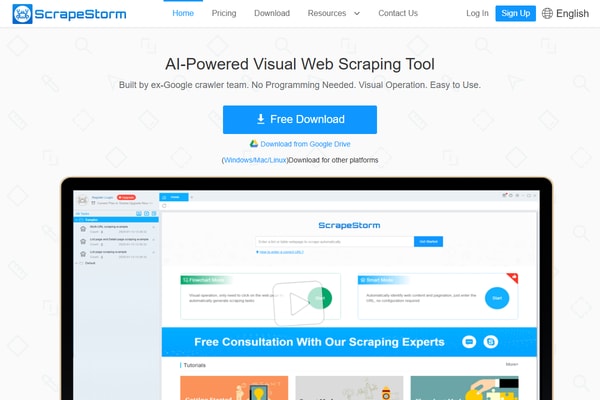
Best for: individuals who want a visual tool at a low monthly price. ScrapeStorm offers Smart and Flowchart modes and runs locally or on its cloud servers.
Pricing: Starter is free with 100 exported rows per day; Professional is $45 per month for 10,000 rows per day. Scheduling starts on Premium at $89, and the REST API on Business at $179.
Check first: the daily export cap. It limits rows you can export, not pages you can scrape.
6. Data Miner: Chrome extension for quick grabs
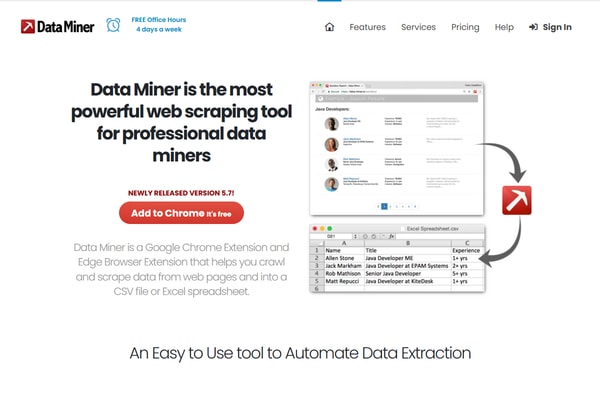
Best for: one-off exports from a page you already have open. Data Miner runs inside Chrome using public or custom recipes.
Pricing: Free covers 500 pages per month but is restricted on some domains; Solo is $19.99 per month for the same 500 pages on all domains; Business is $99 for 4,000 pages.
Check first: where your data goes. For crawls, Data Miner says no data is stored on its servers, so you must save results yourself.
7. ParseHub: Visual projects with run-based limits
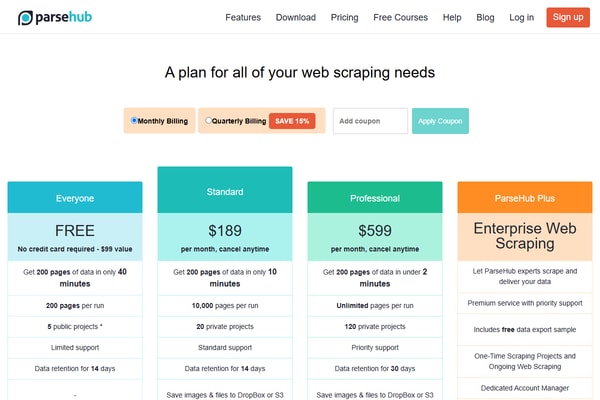
Best for: visual scraping of a few defined projects. ParseHub builds a project per site and runs it on its servers.
Pricing: Free gives 200 pages per run across five public projects with 14-day retention; Standard is $189 per month for 10,000 pages per run, IP rotation, and scheduling; Professional is $599.
Check first: privacy. On the free plan, public project designs and their run data may be shared with other users.
How to Choose an Amazon Scraping Tool for Your Workflow
| If you need to… | Start with | Why |
|---|---|---|
| Monitor competitor prices every day without code | Octoparse | Scheduled Cloud runs on a maintained template across 22 marketplaces |
| Load millions of records into a data warehouse | Bright Data | Per-record billing and native delivery to S3, Snowflake, and SFTP |
| Prototype with code, then automate | Apify | Ready Actor, cron schedules, and a REST API in one account |
| Build your own parser on a small budget | Scrape.do | $29 for 250,000 credits, plus a JSON endpoint for product pages |
| Collect reviews for sentiment analysis | Octoparse reviews template | 20 marketplaces at $0.6 per 1,000 lines |
| Copy one results page into a spreadsheet | Data Miner | Runs in the browser you already have open |
Test before you pay, whichever tool you pick. In January to April 2026, about 2 in 5 new Octoparse users created a task within their first 7 days, but only around half of those reached a successful data collection. The step from “task set up” to “usable data” is where most evaluations stall, so run one real Amazon page on a free tier before you compare plans.
What Amazon Scraping Looks Like in Production
An eCommerce entrepreneur in Chile who sells products sourced from Amazon keeps prices on more than 200,000 products current with 20 automatic Octoparse crawlers, each collecting about 10,000 prices a day. That is roughly 200,000 fresh Amazon prices daily without manual checks.
A European B2B holding company running about 50 businesses replaced gut-feel pricing with weekly competitor price scraping and formula-based pricing. Based on its experience across the portfolio, moving to data-driven pricing typically yields a 2 to 4% improvement in profit margins.
For a full worked example of price tracking, including deduplication and price validation, see our Amazon price scraper guide. If reviews are your target, this walkthrough on how to scrape Amazon reviews covers fields, missing values, and sentiment scoring.
Official Amazon APIs vs. Scraping Tools
Amazon offers official data access, but each route serves a specific account type rather than general market research.
- Creators API: Amazon’s successor to Product Advertising API 5, tied to the Associates program. Calls to PA-API 5 now return 403 Forbidden.
- SP-API Product Pricing: getListingOffers returns offers for listings, but only to registered selling partners.
- Customer Feedback API: review topics and trends for eligible sellers and vendors, not individual review text from any product.
Scraping tools fill the gap when you need competitor listings, other sellers’ prices, or review text that these APIs don’t return.
Is It Legal to Scrape Amazon?
Amazon’s Conditions of Use (last updated August 14, 2026) exclude “any use of data mining, robots, or similar data gathering and extraction tools” from the license it grants users. US courts have drawn a line between public and logged-in data: in Meta v. Bright Data (N.D. Cal., January 23, 2024), the court found that logged-off scraping of public data did not breach Meta’s terms, building on hiQ Labs v. LinkedIn (9th Cir. 2022). Neither case is about Amazon, and terms, privacy law, and your intended use still apply. Read our guide on whether it is legal to scrape Amazon before you scale.
Octoparse for Amazon Scraping
Octoparse brings three things to Amazon work: a Templates Gallery of maintained scrapers, Octoparse Desktop for building custom tasks, and Octoparse Cloud infrastructure that handles blocking for you. No code is required for any of them.
Keeping thousands of Amazon prices fresh every day
Start with the Amazon Scraper template: enter keywords, pick one of 22 marketplaces, and run it in the Cloud on a daily schedule. On Standard and above, IP rotation, residential proxies, and automatic CAPTCHA solving run in the background, so a blocked request doesn’t silently empty your dataset.
https://www.octoparse.com/template/amazon-product-scraper-by-keywords
Collecting reviews across marketplaces for sentiment work
The Amazon Reviews Scraper (20 Marketplaces) template takes product URLs or ASINs, returns ratings, review text, dates, and reviewer details, and costs $0.6 per 1,000 lines. It collects up to 100 reviews per ASIN, which suits trend and sentiment sampling rather than full review archives.
https://www.octoparse.com/template/amazon-reviews-scraper-20-marketplaces
When the page you need isn’t covered by a template
Paste the URL into Octoparse Desktop and auto-detect drafts the fields for you, or describe what you want in plain English with AI Assistant (formerly Agentic Mode), which uses the Data Collection Helper extension. Either way, you get a reusable task you can schedule like a template.
Sending Amazon data to your spreadsheet, database, or AI agent
Export to Excel, CSV, JSON, or a database on any plan, or push to Google Sheets, Dropbox, and S3 on Professional. Through the Open Platform API and MCP server, your app or AI agent can run supported templates and existing tasks and retrieve the results. Plans and template fees are listed on the Octoparse pricing page.
FAQs About Amazon Scraping Tools
What is the best tool to scrape Amazon in 2026?
It depends on who runs the job. Non-developers who need scheduled data usually start with Octoparse templates; data teams loading a warehouse lean toward Bright Data’s record-based API; developers who want a ready scraper with an API often pick an Apify Actor.
What is the cheapest way to scrape Amazon?
For a few hundred rows, the free tiers of Octoparse, Bright Data (5,000 records per month), and Apify ($5 of usage) are enough. For around 10,000 records a month, Bright Data’s pay-as-you-go works out to about $15 at list price, before any free allowance.
Can these tools scrape Amazon reviews?
Bright Data has a reviews collector, and Octoparse has a reviews template covering 20 marketplaces. Visual tools such as ParseHub and ScrapeStorm can also be configured for review pages, but you maintain the task yourself.
Does Amazon have an API for product data?
Yes, for specific account types. The Creators API serves Associates, and SP-API serves registered selling partners. Neither gives general access to competitor listings, which is why teams use scraping tools.
How do Amazon scraping tools avoid getting blocked?
Cloud tools rotate IPs, use residential proxies, and solve CAPTCHAs. Octoparse includes all three on Standard and above, Bright Data runs its own proxy network, and Scrape.do includes residential and mobile proxies on every plan.
Can an AI agent scrape Amazon?
An agent can call an MCP server or API that runs a supported scraper and returns the rows. With Octoparse, the MCP server runs existing templates and tasks; it does not build new scrapers on its own.
Conclusion
Pick the tool by the job, then compare cost per usable record, not headline price. Templates with Cloud scheduling suit recurring work without code, record-based APIs suit data teams, and browser extensions suit one-off grabs. Whatever you choose, run one real Amazon page on the free tier, count unique products and filled fields, and only then pick a plan.